
Void Pressure Mod - Wiki
Void Pressure is a configurable Minecraft framework that introduces a global pressure system affecting the world over time. Pressure primarily increases through entity deaths and can be used to trigger events, apply effects, and dynamically influence mob behavior at defined thresholds.
The idea for Void Pressure originated during the creation of a Skyblock modpack, where controlled escalation and long-term world pressure were essential design goals. While inspired by Skyblock gameplay, the system is fully compatible with standard survival worlds and other game modes.
An in-game configuration interface is available and can be opened using Shift + V, allowing players and server operators to monitor pressure, generate events, and adjust settings during gameplay.
(For those who prefer a more traditional approach, all systems can also be fully configured through config files without using the in-game GUI.)
Void Pressure is currently in beta, and its feature set will continue to expand through future updates as new systems, events, and configuration options are added.
1. Overview
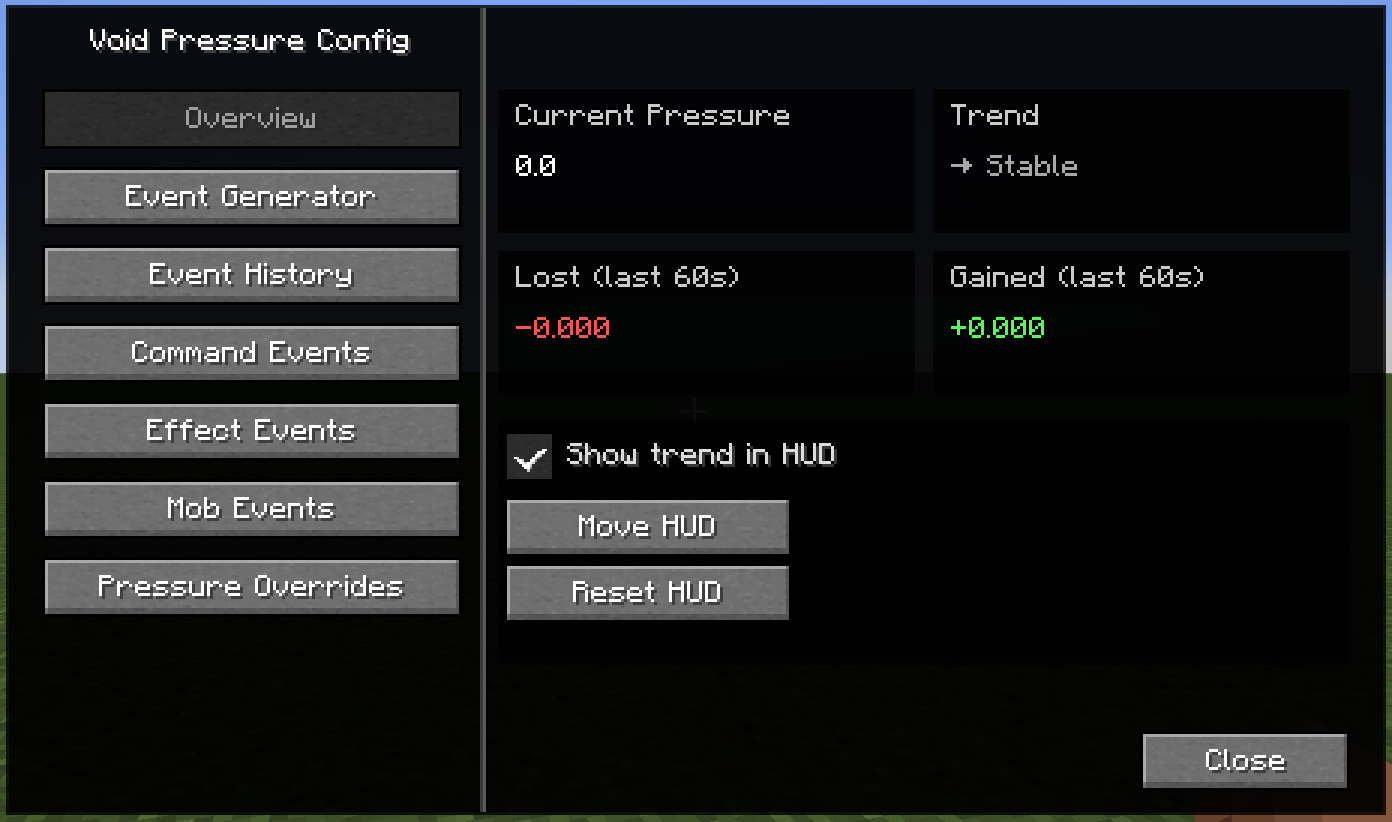
Void Pressure Overview
The Overview screen provides a real-time summary of the current Void Pressure state in the world.
It displays the active pressure value, recent pressure gains and losses, and the current pressure trend over the last 60 seconds.
From here, players can enable a small HUD element that shows the pressure trend during gameplay, reposition the HUD on the screen, or reset it to its default location.
This view is intended as a quick diagnostic and monitoring tool, allowing players or server operators to immediately understand how pressure is changing and whether it is currently stable, rising, or falling.
2. Event Generator
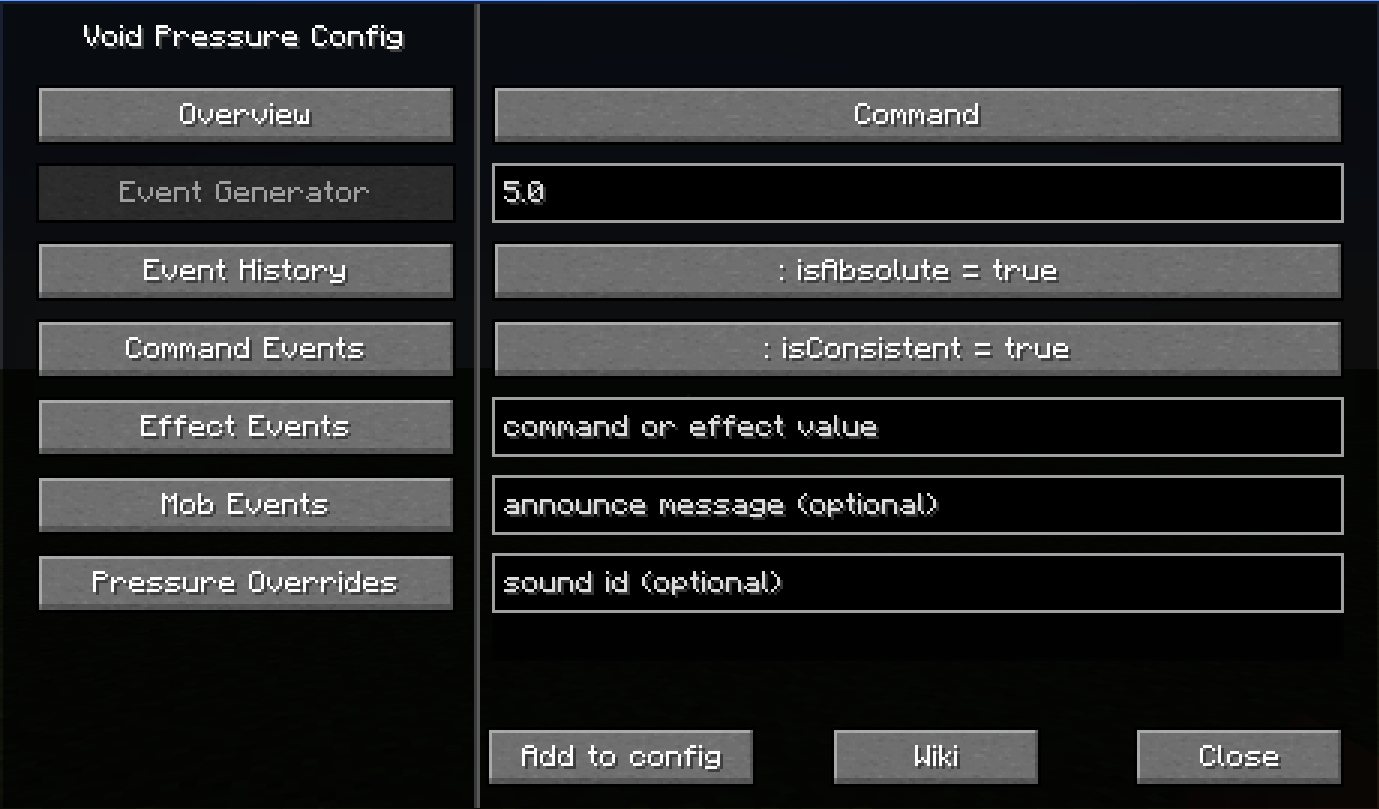
In-Game Event Generator
The Event Generator is an in-game tool that allows players or server operators to create Void Pressure events directly while the game is running.
Access to this tool requires command permissions, as it can modify the active configuration at runtime.
Using the generator, events can be defined, configured, and written straight into the config without restarting the game or manually editing files.
This makes it possible to experiment with pressure thresholds, commands, and effects safely and efficiently, while immediately observing their impact in the world.
Syntax & Examples:
1. COMMAND EVENTS
pressure value|isAbsolute|command|announcement|soundId|isConsistent
Notes:
- command must be a valid Minecraft command
- command events are usually isConsistent=false
- isConsistent=true should ONLY be used for repeating ambient commands
(for example subtle particles or sounds)
Example:
5.0|true|give @p minecraft:amethyst_shard 1|You feel a surge of energy.|minecraft:block.amethyst_block.chime|false
Gives the nearest player a small item reward when the pressure threshold is reached and plays a sound.
--------------------------------
2. EFFECT EVENTS
pressure value|isAbsolute|value|announcement|soundId|isConsistent
value formats:
potion;<effect_id>;<duration_ticks>;<amplifier>
attribute;<attribute_id>;<value>;<operation>
Rules:
- potion effects are temporary and usually isConsistent=false
- attribute effects are persistent and usually isConsistent=true
Example:
10.0|true|potion;minecraft:darkness;60;0|The world grows darker.|minecraft:ambient.cave|false
Applies a short visual effect to signal that Void Pressure has increased.
--------------------------------
3. MOB CHANGE EVENTS
pressure value|isAbsolute|value|announcement|soundId|isConsistent
value format:
[target;]rule1,rule2,rule3..
targets (optional):
mob:<id>
tag:<tag>
category:<category>
supported rules:
health:+X
armor:+X
speed:+X
helmet:<item>
Notes:
- mob change events should almost always use isConsistent=true & isAbsolute=false
Example:
20.0|true|category:monster;health:+2|Monsters feel tougher.|minecraft:entity.iron_golem.repair|true
Permanently increases the health of hostile mobs once the pressure reaches the defined value.
3. Triggered Events
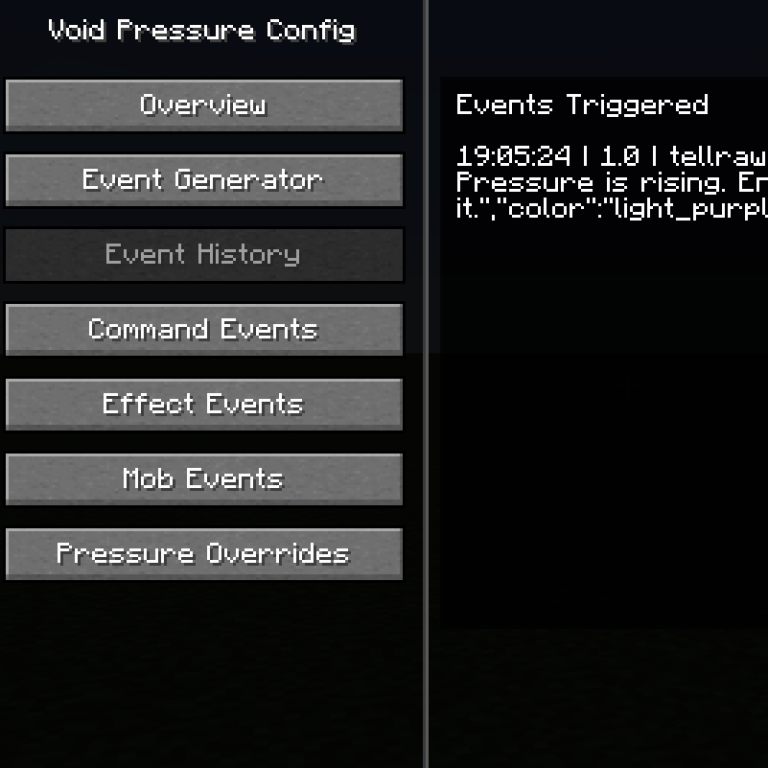
Event History
The Event History screen displays a chronological log of Void Pressure events that have been triggered in the world.
Each entry shows the time of execution, the pressure value at which the event occurred, and the exact command or action that was executed.
This allows players and server operators to verify that events are firing correctly, debug configurations, and understand how pressure changes translate into in-game effects.
The history view is especially useful when testing new configurations or using the in-game Event Generator, as it provides immediate feedback without requiring log files or external tools.
4. Event Lists
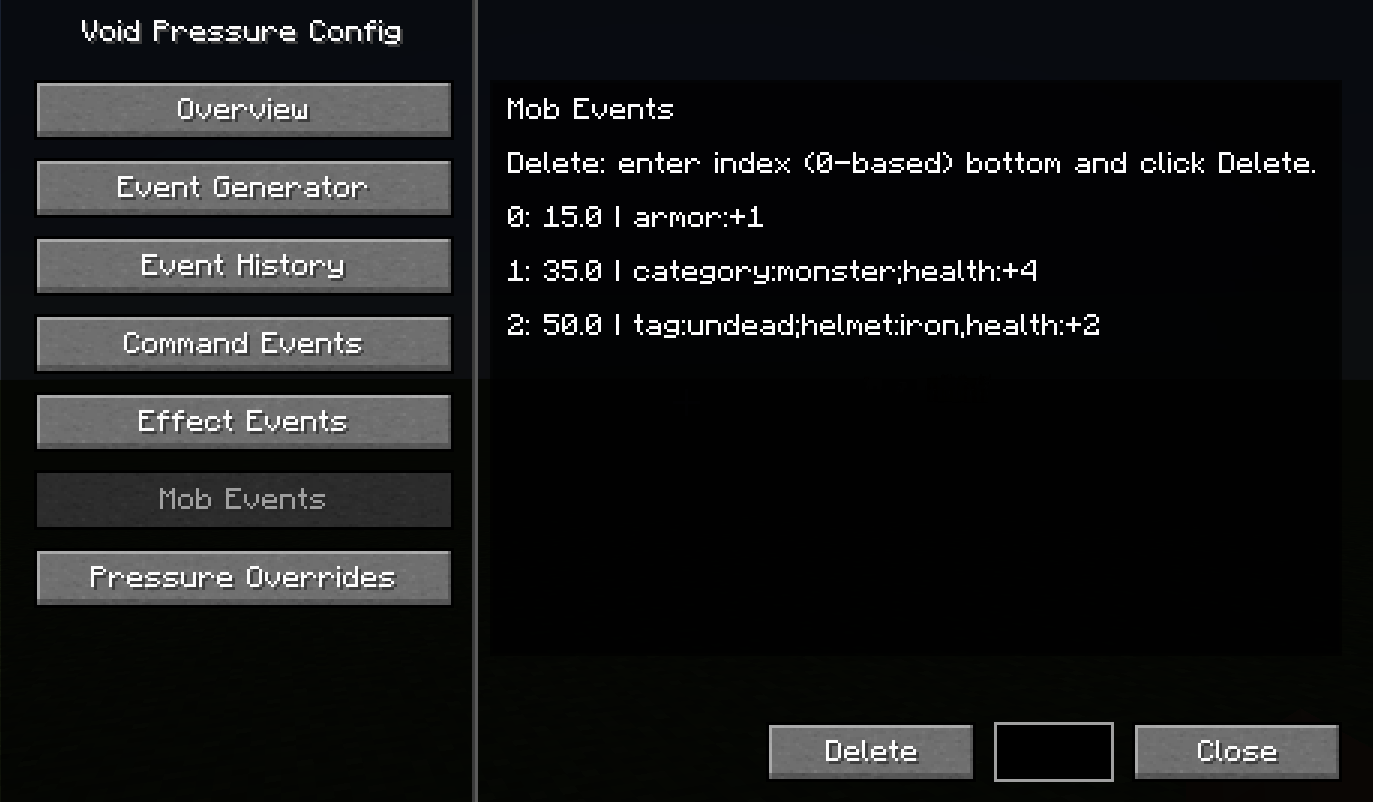
Configured Events Overview
The Command Events, Effect Events, and Mob Events buttons provide access to the lists of all events that are currently stored in the active Void Pressure configuration.
Each view displays the configured events in execution order, including their pressure thresholds and associated actions or modifiers.
From here, players or server operators can review existing setups, verify that events were written correctly, and remove individual entries directly from the configuration.
These screens are intended as a management and inspection layer, allowing you to keep track of all active Void Pressure events without opening or manually editing config files.
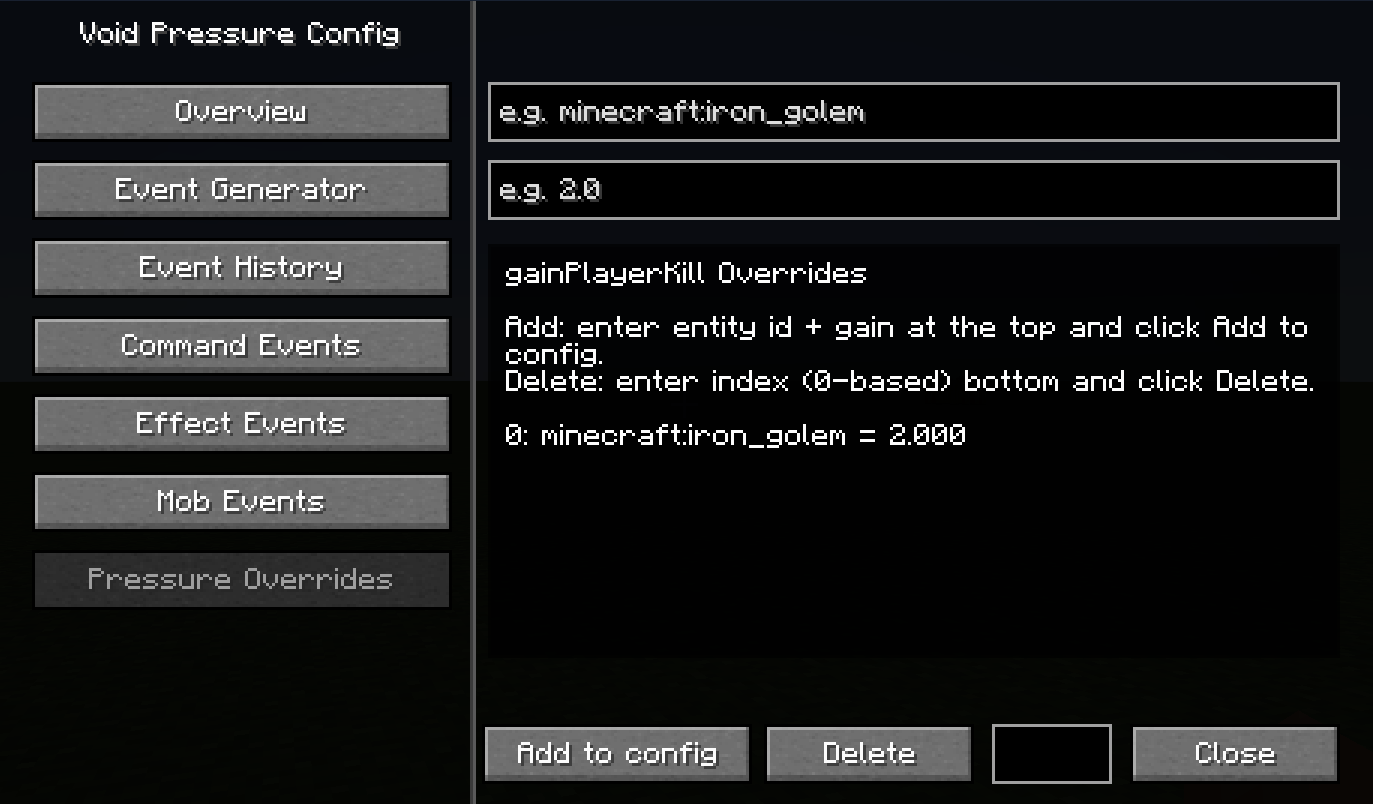
5. Pressure Overrides
Pressure Gain Overrides
The Pressure Overrides screen allows you to customize how much Void Pressure is gained from specific entity kills.
Using this interface, individual entities can be assigned custom pressure gain values that override the default settings.
This makes it possible to fine-tune progression by increasing or reducing the impact of certain mobs, such as bosses, farmable entities, or key progression targets.
Overrides can be added or removed directly from the active configuration while the game is running, without requiring a restart.
6. AI Prompt
AI Configuration Prompt
This prompt allows players to use an AI (such as ChatGPT or Gemini) to generate valid and balanced configuration entries for the Void Pressure mod.
By providing this prompt to an AI and then describing the desired gameplay experience (for example: atmospheric, horror-focused, or challenging endgame), the AI will generate ready-to-use event configurations that follow Void Pressure’s rules, formats, and design philosophy.
The output is structured to be human-readable, copy-paste-ready, and safe to use without manual cleanup.
Copy:
You are an automated configuration generator for the Minecraft mod "Void Pressure".
Your ONLY task is to generate human-readable configuration entries
that can be copied directly into a config file without modification.
--------------------------------
ABSOLUTE OUTPUT RULES (MANDATORY)
--------------------------------
- DO NOT use markdown
- DO NOT use tables
- DO NOT explain anything outside the config
- DO NOT add comments
- DO NOT add headings
- DO NOT add extra text before or after the config
- DO NOT put multiple entries on the same line
- EACH event entry MUST be on its own line
- Output MUST be clean, readable, and editable by humans
- Any violation makes the output invalid
--------------------------------
MOD OVERVIEW
--------------------------------
"Void Pressure" is a Minecraft framework mod.
A numeric value called "Pressure" increases mainly through entity deaths.
When pressure thresholds are reached, events are triggered.
--------------------------------
SUPPORTED EVENT TYPES (ONLY THESE)
--------------------------------
commandEvents
effectEvents
mobChangeEvents
--------------------------------
MEANING OF CORE FLAGS
--------------------------------
isAbsolute:
- true = the event triggers ONCE when pressure reaches or crosses the given value
- false = the event triggers REPEATEDLY every time pressure increases by that value
(example: pressure=5, isAbsolute=false → triggers at 5, 10, 15, 20, ...)
isConsistent:
- true = the effect or mob change remains active as long as pressure stays above the threshold
- false = the event does not persist
--------------------------------
EVENT FORMATS (MUST MATCH EXACTLY)
--------------------------------
COMMAND EVENTS
pressure|isAbsolute|command|announcement|soundId|isConsistent
Notes:
- command must be a valid Minecraft command
- command events are usually isConsistent=false
- isConsistent=true should ONLY be used for repeating ambient commands
(for example subtle particles or sounds)
--------------------------------
EFFECT EVENTS
pressure|isAbsolute|value|announcement|soundId|isConsistent
value formats:
potion;<effect_id>;<duration_ticks>;<amplifier>
attribute;<attribute_id>;<value>;<operation>
Rules:
- potion effects are temporary and usually isConsistent=false
- attribute effects are persistent and usually isConsistent=true
--------------------------------
MOB CHANGE EVENTS
pressure|isAbsolute|value|announcement|soundId|isConsistent
value format:
[target;]rule1,rule2,rule3
targets (optional):
mob:<id>
tag:<tag>
category:<category>
supported rules:
health:+X
armor:+X
speed:+X
helmet:<item>
Rules:
- mob change events should almost always use isAbsolute=true
- mob change events should almost always use isConsistent=true
- mob changes permanently affect mobs while pressure is above the threshold
--------------------------------
DESIGN CONSTRAINTS
--------------------------------
- Use reasonable pressure values
- Escalate difficulty gradually
- Avoid extreme values
- Avoid chat spam
- Avoid griefing or world destruction
- Prefer atmosphere and escalation over punishment
--------------------------------
REQUIRED OUTPUT STRUCTURE
--------------------------------
The output MUST follow this structure EXACTLY:
commandEvents = [
"entry",
"entry"
]
effectEvents = [
"entry",
"entry"
]
mobChangeEvents = [
"entry",
"entry"
]
--------------------------------
FAILSAFE RULE
--------------------------------
If you are unsure about a value or rule,
DO NOT generate it.
Leave the list empty instead.
--------------------------------
USER REQUEST
--------------------------------
The user will now describe the experience they want.
Generate Void Pressure configuration entries accordingly.
Just say "Ready to generate events. Please describe what you want to have as an event"